Recovery without reviving production
The failed server, operating system, volume, and controller do not have to become operational before recovery begins.
ADR's RAID recovery service
The server does not need to boot. The volume does not need to mount. The failed array does not need to be brought online.
ADR helps your team preserve and identify every member, move the drives outside the failed controller's control, and create a protected recovery environment at your location when the case permits it.
Tell us what the controller reports and what has already been attempted. You do not need to diagnose the RAID before calling.
The recovery environment changes
Each source member is identified and accessed independently. Protected images preserve the best available state; validated reconstruction and recovered data go to separate destination storage.
No recovery data is written back to the original members or failed array.
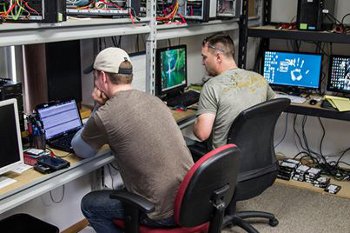
A different starting point
When the controller no longer presents the virtual disk, trying to revive the production system can change the evidence recovery depends on. ADR approaches the problem differently: the failed server is not the recovery environment.
ADR accesses the member drives independently, protects the original sources, and reconstructs the array outside the failed controller.
Review RAID failures and supported systems →The ADR recovery sequence
Each step protects the state that exists now and removes the failed production equipment from the critical recovery path.
ADR reviews the failure sequence and stops rebuilds, initialization, imports, recreation, repair tools, and other actions that could change the remaining evidence.
Record the controller brand and model, server or NAS brand and model, device type, number and capacity of the drives, and RAID level if known. If possible, photograph the enclosure, label each drive, record its original bay, and preserve controller screens and errors.
Under ADR direction, each drive is made individually accessible outside the failed array using a suitable controlled recovery environment.
ADR verifies sources and destinations, prevents automatic assembly and writes, assesses member health, and creates protected images when required.
ADR determines member order, offsets, stripe geometry, parity behavior, and the defensible array state before recovering data.
Priority files, databases, virtual machines, and application data are recovered to separate storage and checked before delivery.
A documented RAID outcome
“ADR worked around the clock to stitch the data back together. I was amazed when ADR said the data had been recovered—and more amazed when I verified it myself.”Matt W., IT Services Manager · Historical client accountExcerpt edited for length and clarity. Recovery results and timelines vary by case.
Keep physical custody
In most cases, ADR can direct diagnosis, protection, imaging, reconstruction, and verification while the member drives remain at your location.
The failed server, operating system, volume, and controller do not have to become operational before recovery begins.
Your staff provides controlled physical access and follows an approved handling plan. ADR remains responsible for the technical recovery decisions.
Your IT team can replace the failed server and build a clean new array while ADR recovers the data to separate destination storage.
Recover and rebuild in parallel
Your IT team can correct the hardware problem and create a clean replacement environment while ADR reconstructs the failed storage. Once priority data is verified on separate destination storage, it can be transferred into the new live system.
Selective physical escalation
Should a member require firmware, electronics, mechanical, cleanroom, or specialist work before a trustworthy image can be produced, ADR evaluates that need before recommending shipment.
When the physical problem is limited to one member, it may be possible to send only that component rather than the complete array.
When a RAID member requires laboratory work →What ADR needs to begin
You do not need to determine the RAID geometry, diagnose a failed member, or make the server boot before calling.
Server, NAS, enclosure, controller, RAID level if known, number of members, drive type, operating system, hypervisor, and workload.
Every status or error shown, which members are online or missing, and whether any drive clicks, disappears, or reports read errors.
What happened first and every rebuild, replacement, import, force-online action, scan, repair, or power cycle already attempted.
Priority data and applications, operational impact, onsite requirements, available technical contact, and separate destination capacity.
Direct answers
No. ADR's recovery environment is separate from the failed production environment.
No. Do not import, initialize, recreate, rebuild, or force members online merely to provide access.
Possibly, but only under an approved plan that covers labeling, power, connections, source protection, and separate destination storage.
No. Your staff provides controlled physical access. ADR directs the technical process and approves recovery decisions.
No. Member condition, interfaces, security, personnel, and destination capacity determine whether onsite work is safe.
To separate approved destination storage, never back to the failed source members or failed array.
Stop before another write changes the array
Tell an ADR technician what failed, what the controller reports, and what has already been attempted. We will help preserve the member state and determine the fastest safe way to begin.